Your Maschine Fully Unlocked
Unlock The Full Potential Of Your Controller
We know that the depth of our mappings can look overwhelming at first — but there’s a clear structure behind it all, and we’ll guide you every step of the way with tips, manuals, and videos to help you master everything quickly.
Please understand our mappings aren’t meant to replace your existing controller; even our flagship mapping “Tribute X” isn’t designed to function as a standalone device. While you can use it that way, its real purpose is to enhance your current setup and fill in the gaps your controller may have.
We try to make it easier on you by organizing the mapping into sections dedicated to specific features such as: Effects, Sequencer, Sampling, Stems, Pattern Player, Remix Decks, Mixer, Freeze, and more. Luckily for us, Traktor mappings are fully customizable and you can rearrange or remove pages to streamline your workflow—just remember to back up your originals.
Finally, we continually test and update Tribute X and its documentation as Native Instruments releases new Traktor versions ensuring everything stays stable, compatible, and performance-ready.
Knob Pages & Displays
- 4 Channel EQ Knobs
- 4 FX Units
- Step Sequencer Parameters
- Loop Recording
- Freeze (Slice) Parameters
- 4 Pattern Players (Traktor Pro 4 Only)
- 2 Stem Decks (Traktor pro 4 Only)
- Loop On/Off/Size/Delete
- Beat Jump/Loop Jump
- 8 Cue Points
- LED Colors Match Cue Types
- Browser and File Navigation
- Swing and Tempo Adjust
- Pitch and Key adjust
- Reverse and Flux
- And more!
Pad Pages
- Track Decks A, B, C, D
- Remix Decks C and D
- Freeze Controls
- Effects
- Step Sequencer
- Pattern Player (Traktor Pro 4 Only)
- And more!
Your Purchase Includes:
- Installation Guide
- Quick User Guide
- User Manual
- Traktor File
- Controller Editor File
- Secure Checkout
- Friendly Support
Making up for the shortcomings of your controller
All Traktor controllers have shortcomings.
Now, imagine having the ability to make up for those shortcomings by simply adding a properly mapped Maschine to your set up. Additionally, you could be saving some money by not purchasing more controllers when you have one controller perfectly capable of replicating (and even surpassing) other controllers currently available. If your current controller lacks FX knobs, a 16 step sequencer, Pattern Player Controls, Freeze Controls, Slice Pads, or Stem Controls, our mappings may be the way to add those features to your setup.
Most Controllers Lack This:
- Screens that display valuable information
- Dedicated 16 Slice Freeze Control
- Dedicated 16 Step Sequencer
- Dedicated Remix Decks Controls
- The ability to dial in and save FX settings
- Dedicated Stem Controls
- Capable of Controlling 4 FX Units
- Capable of Controlling 4 Pattern Players
- Dedicated Pads to Modify Patterns on the Fly
Advantages:
- Save Money by Using your Maschine
- Only Buy the Part You Need or Buy the Flagship Mapping
- Adding Your Own Drum Patterns Over Tracks
- Making Mashups On The Fly
- Extract loops and samples with precision without a DAW
- Apply Multiple Effects At Once
- Tweak Parameters on the Fly
- Has Room to Grow
- Make it your Own by Modifying it
- Unleash Your Creativity!
We Love Traktor Pro!
We are two close friends that have been mapping Traktor since 2010
When we got to play with Maschine MK3 and Maschine Jam, we immediately saw their potential to be used with Traktor Pro. Since we had experience mapping other midi controllers, the transition was rather easy and it just grew from there.
We are proud of the fact that thousands have downloaded our free mappings and it is specially satisfying to see you guys purchasing our premium mappings. Thank you for your love, support, and donations!
Intuitive Layout & Functionality
Maschine Mk3 and Maschine PLUS + make great Traktor controllers thanks to their pads, buttons, knobs, and screens.
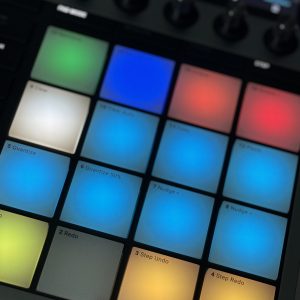
Visual Feedback
The stunning displays and LED colors provide valuable parameter feedback.
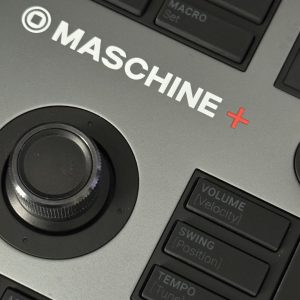
Intuitive Design
We took advantage of the Maschine layout to eliminate the need of overlays and to reduce button combination memorization.
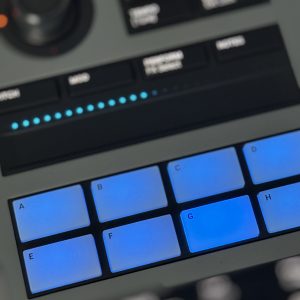
True Power
Take advantage of Maschine’s MIDI mapping capabilities and exploit this magnificent controller to your advantage.
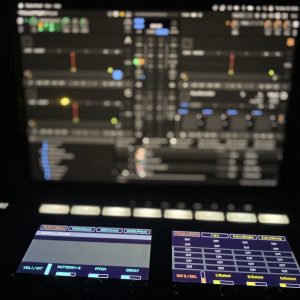
Solid Mapping
Thoroughly tested throughout the world. We spent a long time improving this mapping to make it accessible to users of all levels.